Intermec 6110 User Manual Page 33
- Page / 106
- Table of contents
- TROUBLESHOOTING
- BOOKMARKS

- USER’S GUIDE 1
- Acknowledgments 2
- CONTENTS 3
- General Information 7
- Appendix A 8
- Appendix B 8
- Front View 9
- Back View 9
- Hand-Held Computer Keyboard 10
- Backlight 11
- Main Memory 12
- Flash ROM 13
- PC Cards 13
- Figure 1-4 14
- PC Card Slots 14
- Figure 1-5 15
- [Gold] (Shift) Key 16
- [I/O] Suspend and Resume Key 16
- Options and Accessories 17
- Integrated Scanner Pod 18
- Port Replicator 19
- Magnetic Stripe Reader 20
- Serial Pod 21
- Global Systems for Mobile 22
- Communication (GSM) with 22
- SECTION 1 General Information 23
- SECTION 1General Information 24
- Operation 25
- Rechargeable Battery Label 26
- Installing the Main Battery 27
- Charging The Batteries 28
- Figure 2-2 29
- Power Status LED 29
- In External Source 30
- Figure 2-4 31
- Single Pack Charger 31
- Figure 2-5 31
- SPAN Charger 31
- Removing the Main Battery 32
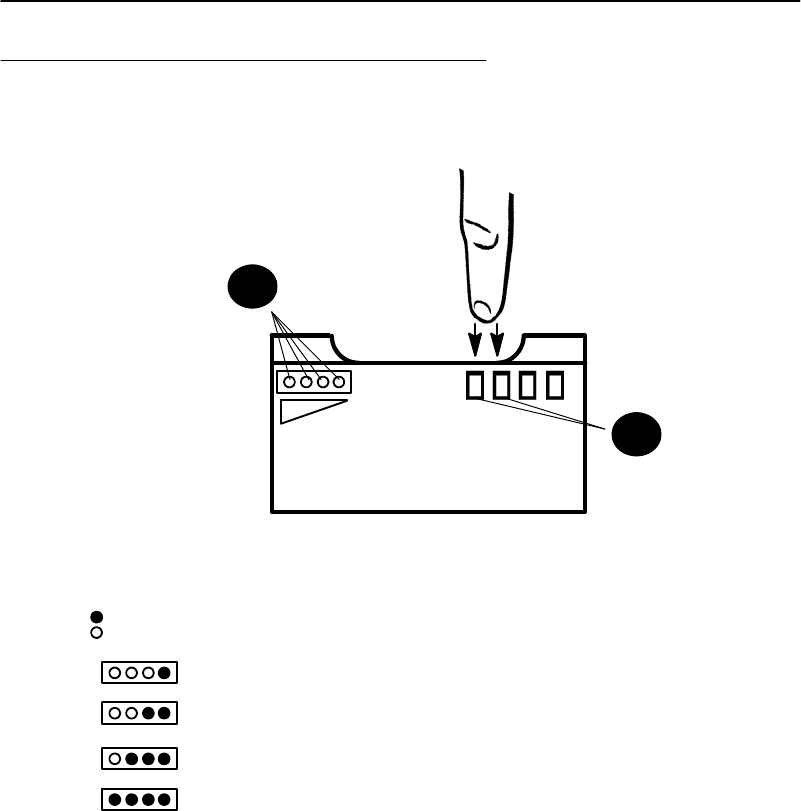
- SECTION 2 Operation 33
- Figure 2-7 33
- Backup Battery 34
- Backup Battery Life 34
- Installing PC Cards 35
- SECTION 2Operation 36
- Figure 2-8 36
- Removing PC Cards 37
- Installing a Modem Card 38
- Figure 2-11 39
- Installing Modem Cable 39
- Figure 2-12 40
- Figure 2-13 41
- Removing SIM Socket Cover 41
- Figure 2-14 42
- Installing SIM 42
- Routine Care and Maintenance 43
- Case and Display 44
- Docking Connectors 44
- Troubleshooting 45
- Troubleshooting Chart 46
- Table 4-1 (continued) 47
- Basic Troubleshooting 47
- Repair Service 50
- Connector Pin-Outs 51
- 8-Pin Docking Connector 52
- RJ-45 Phone Jack Pin-Outs 53
- APPENDIX AConnector Pin-Outs 54
- Utilities Program 55
- Drop-Down Lists 56
- Alphanumeric Fields 57
- Title Screen 58
- Language Selection 59
- Communications Menu 60
- Option 1 BEGIN COMM SESSION 61
- APPENDIX B PEN*KEY 65
- Transfer: 65
- Session Status 66
- APPENDIX BPEN*KEY 68
- Option 2 COMM SETTING 71
- Suboption 1 NETWORK 72
- Suboption 2 MODEM/DIRECT 73
- Suboption 3 ACCESSORY CARD 74
- Suboption 6 INTERSERVER 74
- Suboption 4 HANDHELD 74
- Suboption 5 REMOTE OPS 74
- Option 3 UNIT ID 75
- Option 4 NETWORK PARAMETERS 75
- Option 4 MODEM PARAMETERS 77
- Suboption 2 PROTOCOL 80
- Suboption 3 BPS RATE 80
- Option 5 NETWORK INTERFACE 81
- Option 5 PHONE NUMBER 82
- Option 9 ADVANCED UTILITIES 83
- Suboption 1 SET DATE/TIME 84
- Glossary 85
- Controller 87
- GLOSSARY 100
Related products and manuals for Computers Intermec 6110
 (146 pages)
© 2020, manymanuals.com. All rights reserved. | 0.045 s |
 Manymanuals.com
 Manymanuals.de
 Manymanuals.fr
 Manymanuals.it
 Manymanuals.pl
 Manymanuals.cz
 Manymanuals.es
 Manymanuals-pt.com
Comments to this Manuals